Adding Inputs to Functions
Adding input slots to your own functions so they can do different things based on the values passed in.
The functions you've made so far always do exactly the same thing every time. turnAround always turns left twice. shootIfAlienAbove always checks and shoots.
But think about the functions you've been using throughout the course, how they do different things depending on the inputs. Rectangle takes a left, a top, a width, a height as inputs, and then draws a different rectangle based on what you tell it.
Now we'll add input slots to your own functions too.
You need to know two things to do this. The first is how this actually looks, what you need to write, and the second is what's actually happening.
The first bit is quite straightforward. You just add some normal brackets and then the names of any inputs you want.
So imagine we're creating a function that should shoot many times. Let's call it shootMany.
We'd write function shootMany(numShots) { curly braces and then some code.
function shootMany(numShots) {
  // ...
}
When you want to use this function, you'd write shootMany(5) if you want to shoot five shots, or shootMany(2) if you want to use two shots.
shootMany(5)
shootMany(2)
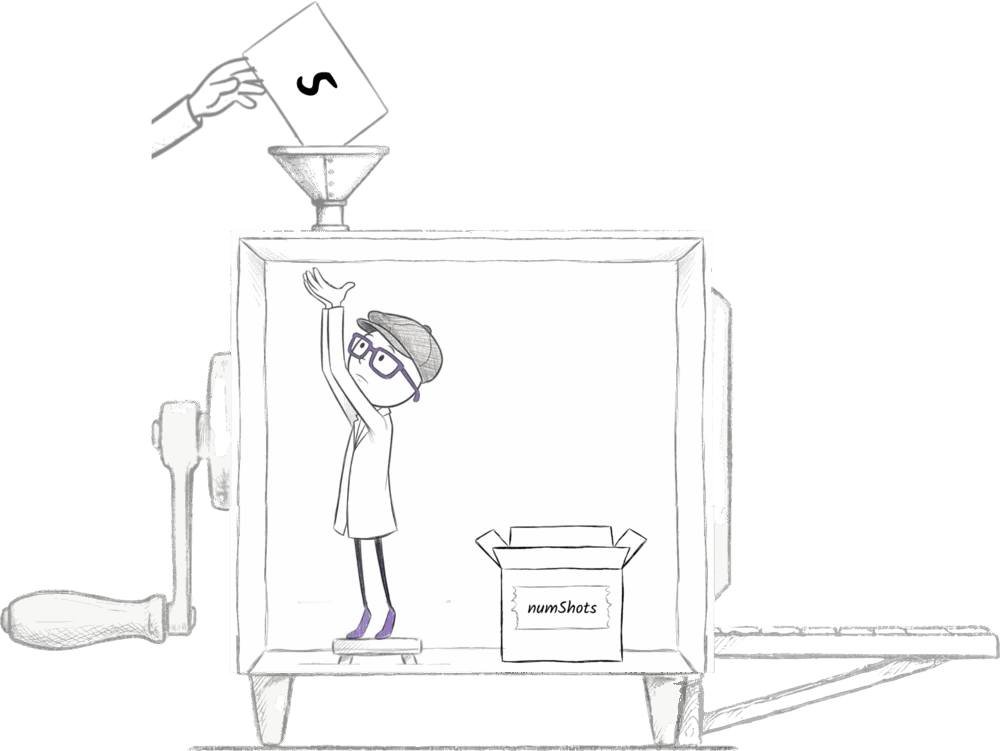
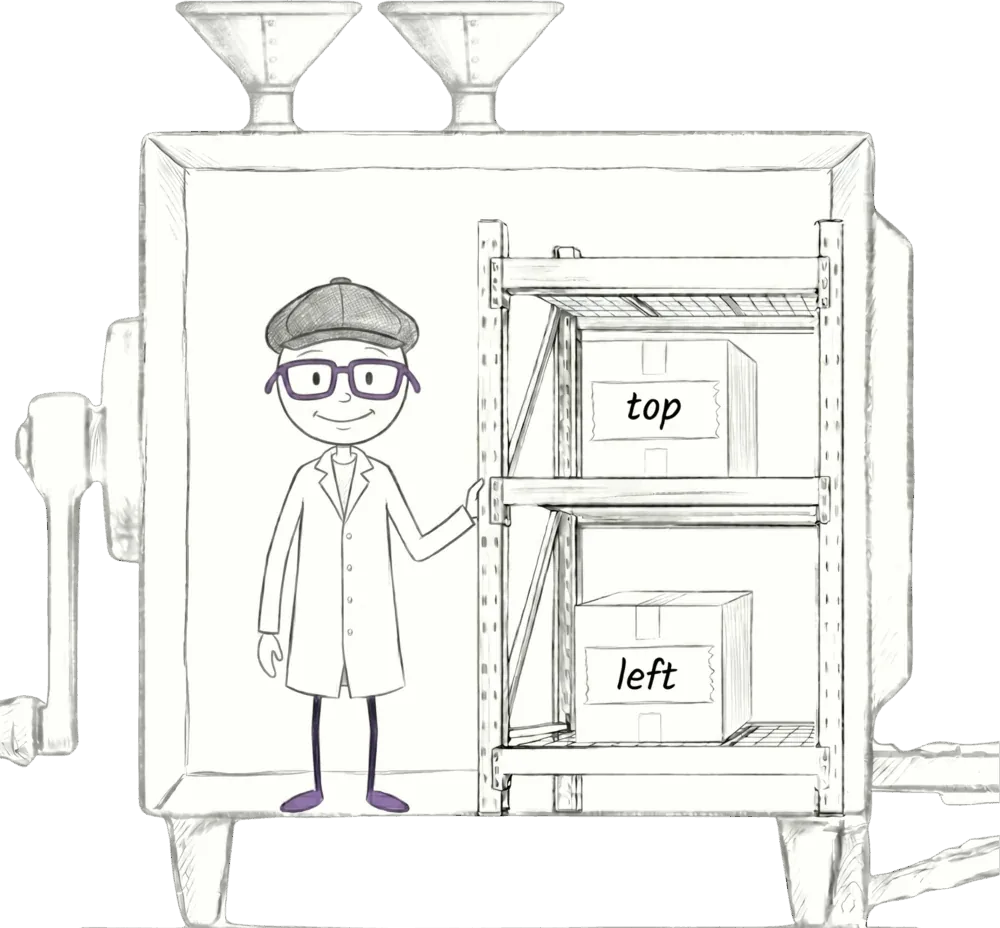
Now, this is the key bit. When the code runs, whatever you put into that input, 5 or 2, mini-Jiki, with the hat inside the function, takes that input and puts it into a box called numShots, and then puts that box on the shelves inside the function for you to use in the function's code.
I'll say that again.
When we write shootMany(5) to use the function, Jiki on the outside goes and gets a 5 and puts it into the input slot of shootMany. Inside the machine, mini-Jiki takes that 5 out and puts it in a box called numShots, because that's the name that you gave to that input slot, and then he puts that box on the shelves inside the function inside the machine.
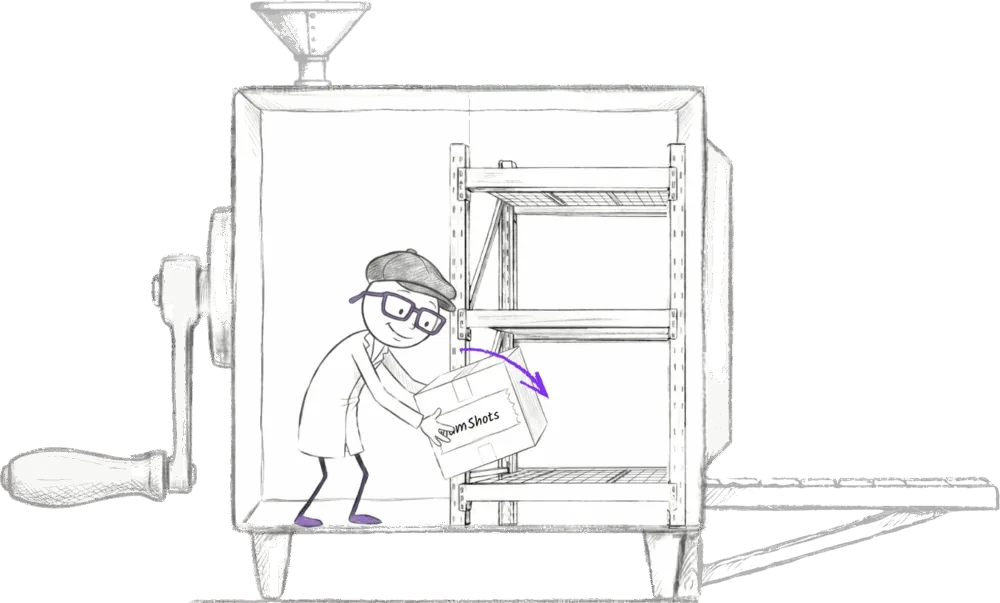
And then within the function, you can just use the numShots box just like you'd use any other box. There's nothing magical about the name numShots. We could have called it anything we wanted. All it is is an instruction for mini-Jiki to always create a box with that label on inside the function and put whatever's passed into that slot into that box.
And once you've got a value in that box, you can do anything you'd normally do with boxes. You could use the numShots box as part of a repeat loop to shoot the correct amount of times. And you can have more than one input too. Just separate them with commas. So if we have a function called drawStar that draws a star based on its top-left position, you'd write function drawStar(left, top) { curly braces, and then your code.
function drawStar(left, top) {
  // ...
}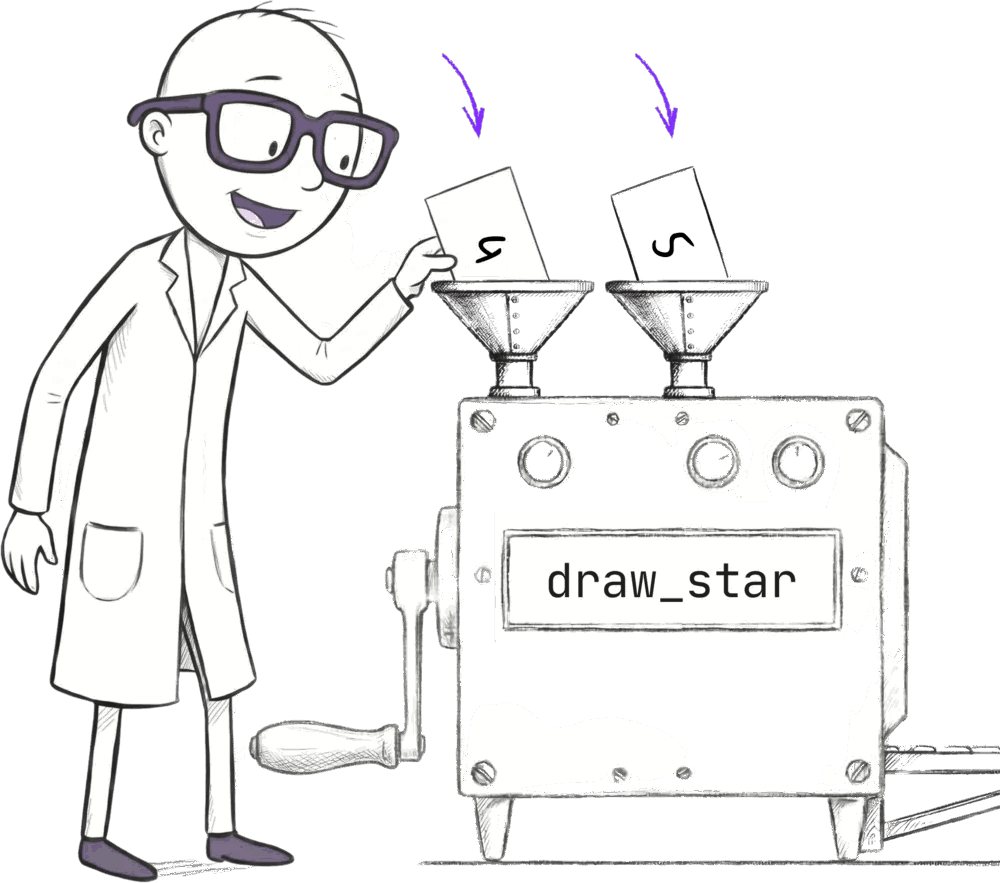
And then when the function is called, mini-Jiki is just gonna store the values that are passed into the inputs in boxes named left and top, and then store those on the shelves inside the functions.
Ready to Start Your Coding Journey?
Join thousands of learners on Jiki. Practice coding exercises, get feedback from mentors, and level up your skills — it's free!
Sign Up For Free