
Arithmetic
Combining variables with maths so values can relate to and depend on each other through addition, subtraction, multiplication, and division.
So far when we've created variables, we've just used simple values; a number like 50 or a string like "yellow". Where variables become much more powerful is when we can use them in combination with each other. So where we can say the left edge of the rectangle should be a certain distance from the edge of the canvas.
In programming, we can use normal, basic maths, things like adding, subtracting, multiplying, and dividing, and we can use the variables that we've already set as part of that.
Let's start by saying we want to draw a rectangle on our canvas, and we want it to start 10 in from the left and from the right, and 20 in from the top and the bottom. So it's going to be in the middle of the canvas, slightly longer than it is tall.
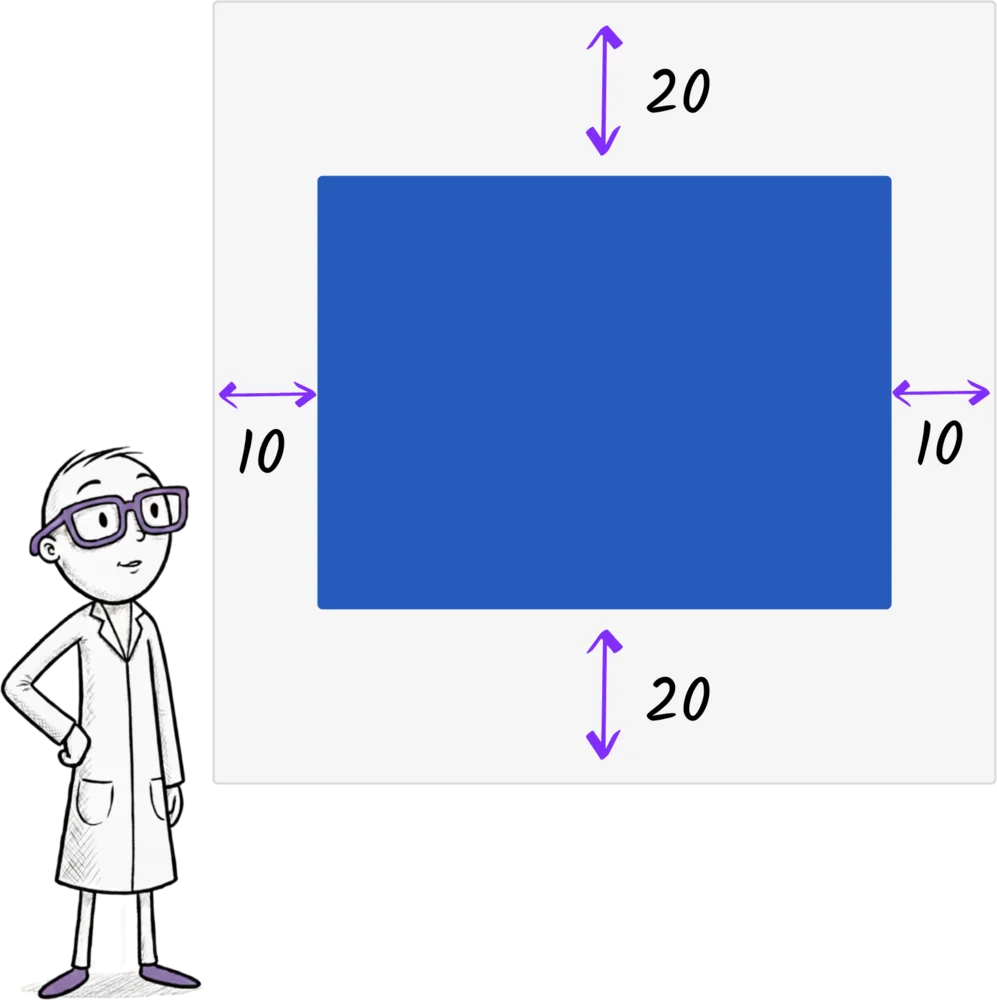
When we draw a rectangle, we need to know its left, top, width, and height, as well as its color. So we can start off by writing that out.
And now we need to actually work out what its left, top, width, and height should be. So let's set them. Left is 10. Top is 20. The width, well, the width is the size of the canvas, which is 100, minus the 10 on the left and the 10 on the right, so that's 80. And the height is the height of the canvas, which is also 100, minus the 20 at the top and the 20 at the bottom, so 60.
let left = 10
let top = 20
let width = 80
let height = 60

rectangle(left, top, width, height, "blue")
So we can set those variables. Left, 10, top, 20, width, 80, height, 60. But what happens now if we want to move the rectangle in a bit, make it a bit smaller? If we want to move it 20 from the left and the right and 30 from the top and the bottom? We have to go and work everything out again. The width is now 100 minus 20 minus 20, and the height is 100 minus 30 minus 30, and this is definitely more work and more maths than I want to do. So instead, we can tell the computer to do it for us.
We can set the width to be 100 minus the left minus the left, and the height to be 100 minus the top minus the top, because it's the same top and bottom. Or we could write that out as 100 minus the left times two, or 100 minus the top times two.
let width = 100 - left * 2
let height = 100 - top * 2
And now if we change the left or the top, the width and the height will also change. So things are starting to relate to each other. And what about the canvas? That's 100 now. But what if our canvas changes to be 200 wide and high instead? Well, we should probably set a variable called canvasSize and set that to be 100. And now our width is canvasSize minus left times two, and our height is canvasSize minus top times two.
let canvasSize = 100
let left = 20
let top = 30
let width = canvasSize - left * 2
let height = canvasSize - top * 2

rectangle(left, top, width, height, "blue")
Let's think about what Jiki is doing when we write let height equals canvasSize minus top times two. Well, he starts by getting the top box off the shelf, and he finds 20 in it, and he gets out his pocket calculator and does 20 times two, and he makes a mental note of 40.
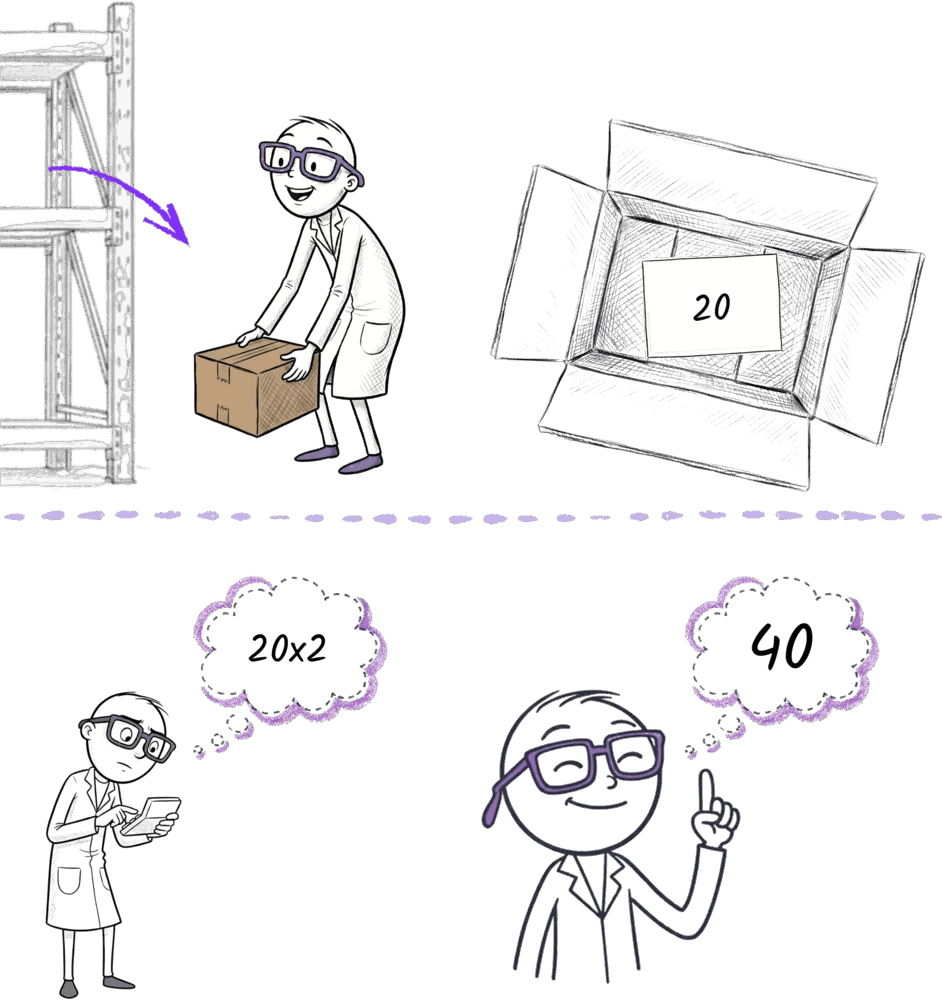
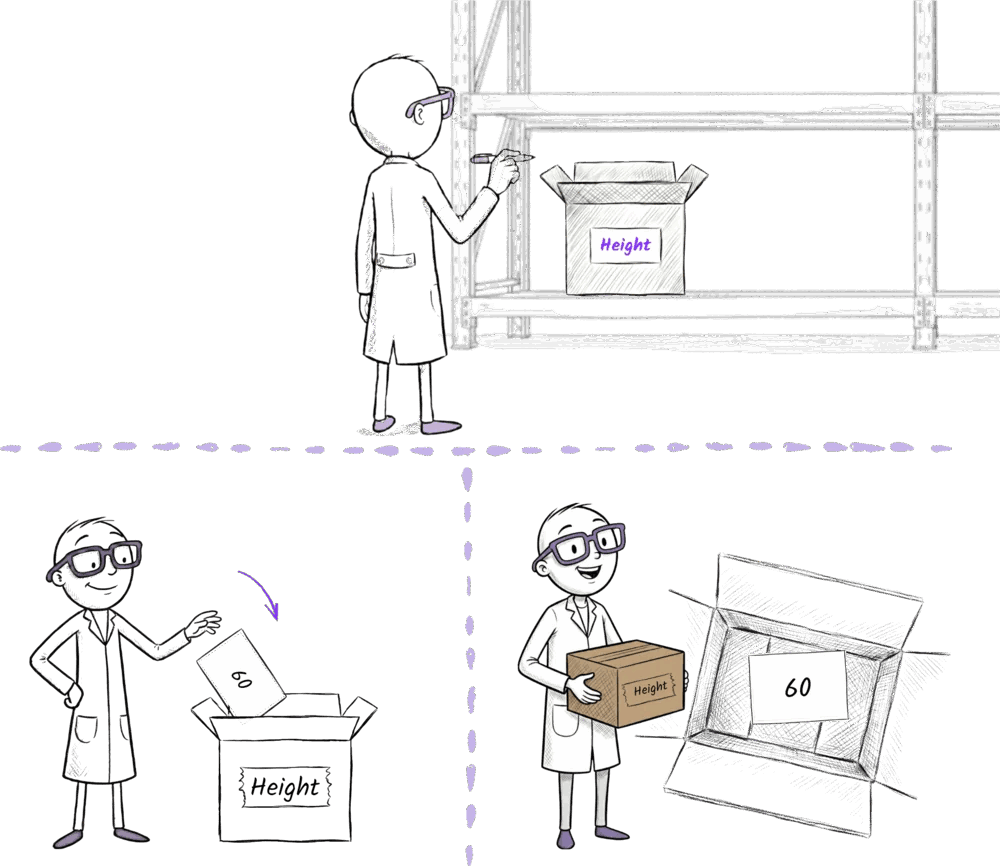
And then he gets the canvasSize box off the shelf, finds 100 in it, and he works out that 100 minus 40 is 60. And now he knows really what we're saying is let height equal 60. So he obeys the let, getting a new box and writing height on it, and then he puts 60 inside it. And then when he uses height later, he just gets the 60 back out again.
Once you have everything working in an exercise, play with changing the values of the variables and see what happens. Watch how they grow and how they shrink. Take your time, think about the relationships between things.
Ready to Start Your Coding Journey?
Join thousands of learners on Jiki. Practice coding exercises, get feedback from mentors, and level up your skills — it's free!
Sign Up For Free