
Scope
Understanding how curly brackets create their own set of shelves, so variables only live as long as their block does.
Imagine code that draws a circle in a different place every time it was run, and we want to draw 10 circles in different places. We could combine this with a loop. But for those of you that are paying close attention, you might have noticed something odd here.
repeat(10) {
  let left = Math.randomInt(0, 100)
  let top = Math.randomInt(0, 100)
  circle(left, top, 5, "blue")
}
Early on, I said there was a rule that boxes on Jiki's shelves must have unique names,
and that let keyword, it creates a new box each time you use it.
But because the let is in a loop, Jiki is gonna create a new box every time the loop runs.
So is the code wrong, or is something else weird happening here?

Well, it turns out the code is fine. This is perfectly valid JavaScript, and it works because of a concept called scope or scoping.
Scope is something that at first probably will feel quite straightforward, but I can guarantee it will cause you pain for the rest of your career. Even the most senior developers run into issues with scope, and JavaScript is one of the most complicated languages for it. I'm telling you this so that when you run into issues with scope, you're not gonna feel bad about yourself. But also, really listen to this bit because it's important.
When you see a curly bracket in code, it creates what's called a new scope. What does that mean? Well, you can think of Jiki creating a new small set of shelves in his workshop whenever he sees a curly bracket. And any boxes that he creates while he's working, running code inside those curly brackets, those boxes, those new boxes go on the small new set of shelves, not on the main ones.
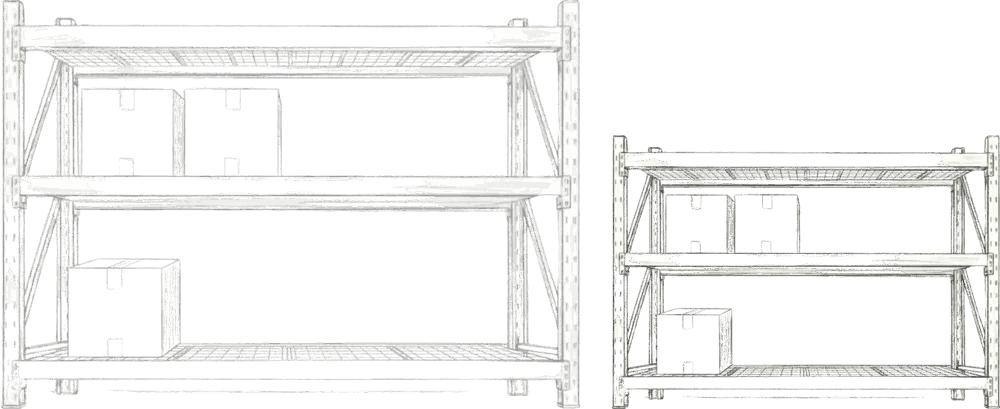
And when Jiki gets to the corresponding closing curly bracket, he throws away all of the boxes that are on this secondary set of shelves.
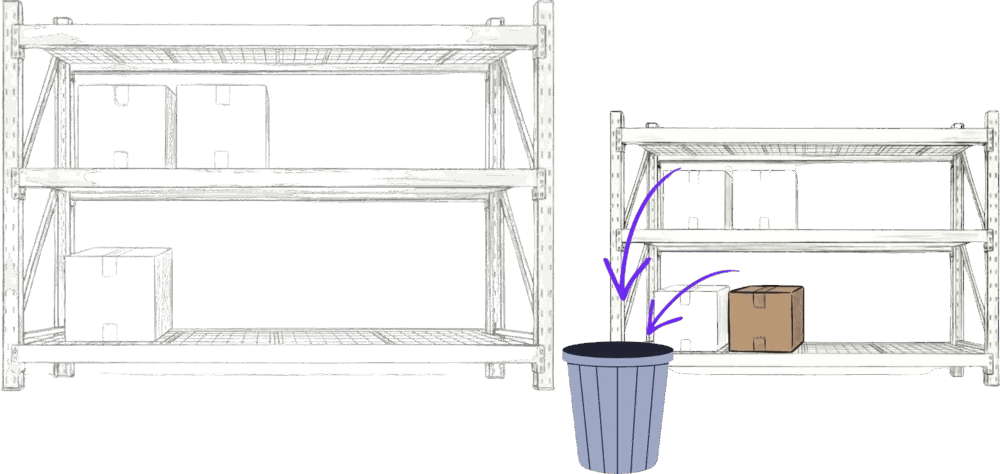
So every time we have a loop like this, we can create boxes that only last as long as each duration of the loop. The left and the top boxes you're seeing here, they only last until we hit the closing curly bracket, and then they get thrown away. And Jiki hits that closing curly bracket every time the loop runs. So that's 10 times in this program. So 10 times he'll create a box called left, and he'll throw it away again.
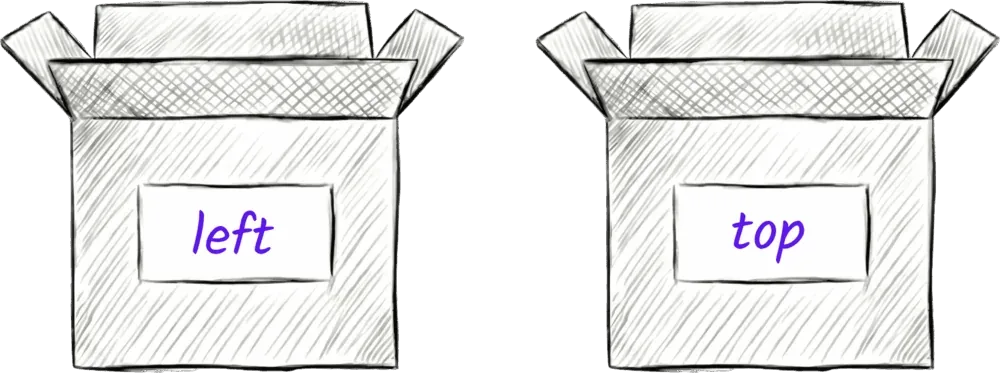
So when you're creating a variable, you have to decide how long you want it to stay around for. If you want it to live for a long time, it needs to go outside of any curly brackets. If you want it to last for just one iteration, one duration of the loop, then you can put it inside the curly brackets. Do you see how this can all get a bit confusing? So one nice rule to keep this simple when you're starting out is to keep all of your variables near the top of your code outside of the curly brackets, and then only update them inside the brackets. For example, we could write the code above with just one left and top box set to zero at the start and then updated each time within the loop. That's perfectly valid too. Neither is right or wrong. There are best practices, but we'll learn about those later. For now, experiment, have fun, see what feels most comfortable for you, and try not to worry too much about this.
Ready to Start Your Coding Journey?
Join thousands of learners on Jiki. Practice coding exercises, get feedback from mentors, and level up your skills — it's free!
Sign Up For Free