Colors
Two ways to specify any color you want. RGB mixes red, green, and blue light. HSL uses hue, saturation, and lightness.
If you ever do anything visual with code (and even if you want to be a data scientist and think all the drawing stuff is a bit boring, communicating data via visuals is a key skill) there are two different ways of expressing colors. You've already been using colors with their names like red or yellow as the last input in your drawing functions, and that's been a nice way to quickly use colors, but it's quite limiting. There are only a handful of named colors that we can use. So now we're gonna look at two ways of expressing any color you want, and those two are called RGB and HSL.
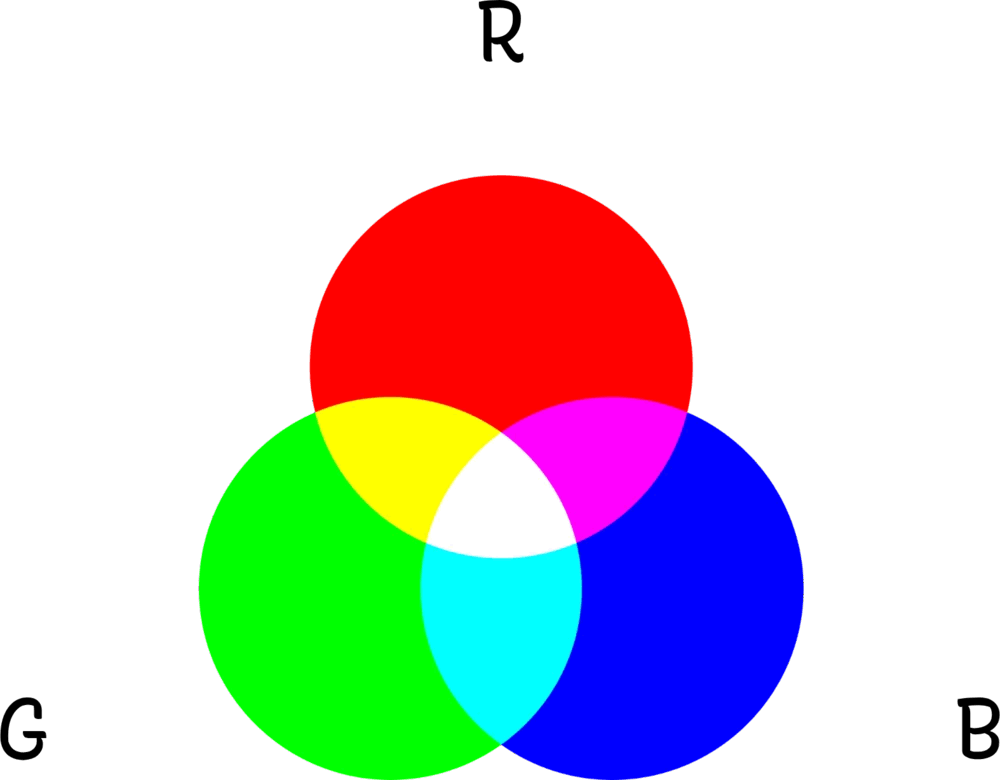
RGB lets us think of colors as a mixture of red, green, and blue. That's what RGB stands for: red, green, blue. If you remember mixing paints at school, it's a similar idea, except rather than paint, we're mixing light.
In many exercises, you're gonna have a function called rgb, and it will take three numbers as its inputs, one for red, one for green, one for blue, and it will return out a color.
The numbers that you can use as inputs range from zero to 255. Zero means I don't want any of that color, and 255 means mix as much of that color in as possible. So if we use the rgb function with 255, zero, and zero as our inputs, what we're saying is I want all of the red. Remember that 255 is the largest number you can put in there. But we don't want any green or any blue, so those are both zero. So we get red out, and we can store that red in a variable and then use it in the circle function just like we've been doing with the named strings already. So what about if we use the rgb function with zero, 255, zero? We're now saying no red, all the green, no blue. So we get a green circle. What about if we want yellow? So yellow is a mixture of red and green. So we can say give me all of the red, all of the green, and no blue, and that will give us yellow. And we can use smaller numbers. So if we want some red, no green, and lots of blue, we'll get purple. And lots of red, a little green, a little more blue, that gives us a pink. So that's RGB. We mix red, green, and blue to get different combinations.
let red = rgb(255, 0, 0)
let green = rgb(0, 255, 0)
let yellow = rgb(255, 255, 0)
let pink = rgb(230, 50, 170)
Now let's look at HSL, which gives us a completely different way to think about colors. HSL stands for hue, saturation, and lightness. And similarly to RGB, you have a function called hsl that takes three numbers, one for hue, one for saturation, and one for lightness, and it will return out a color. So let's break down what those three words mean.
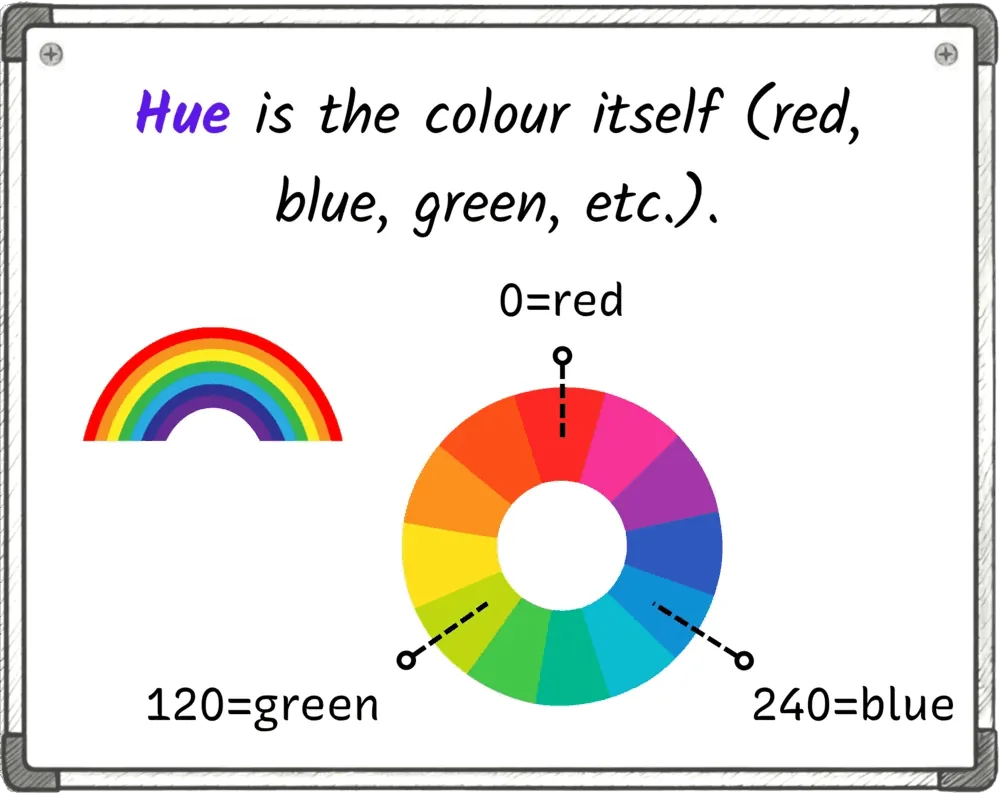
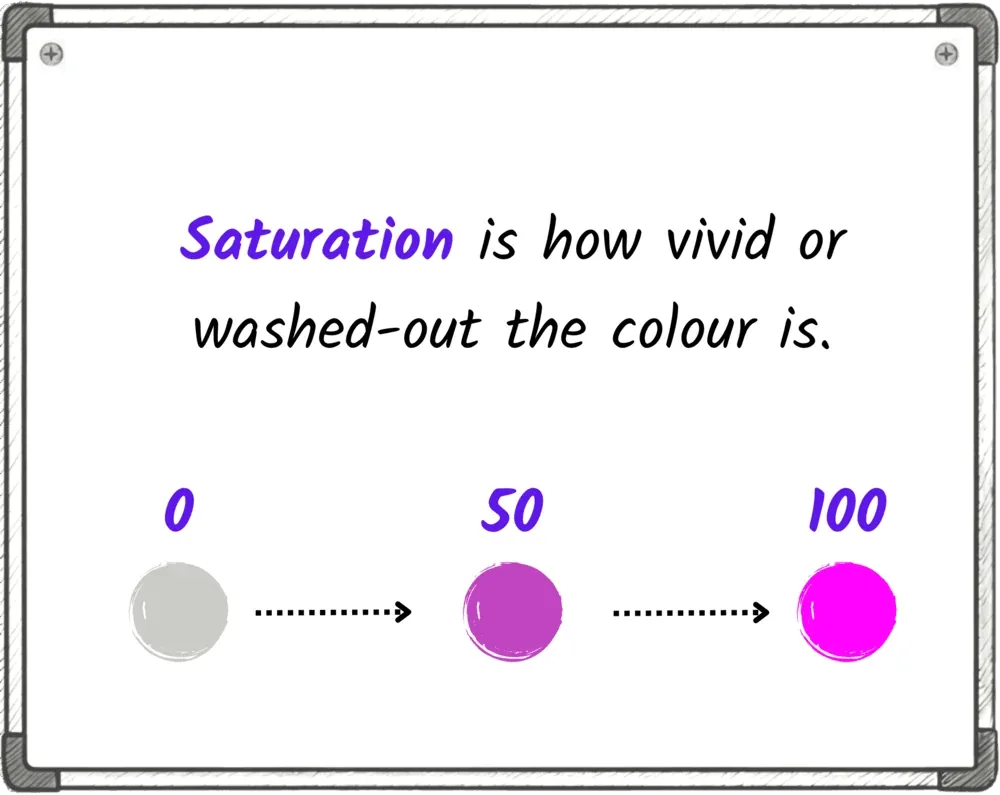
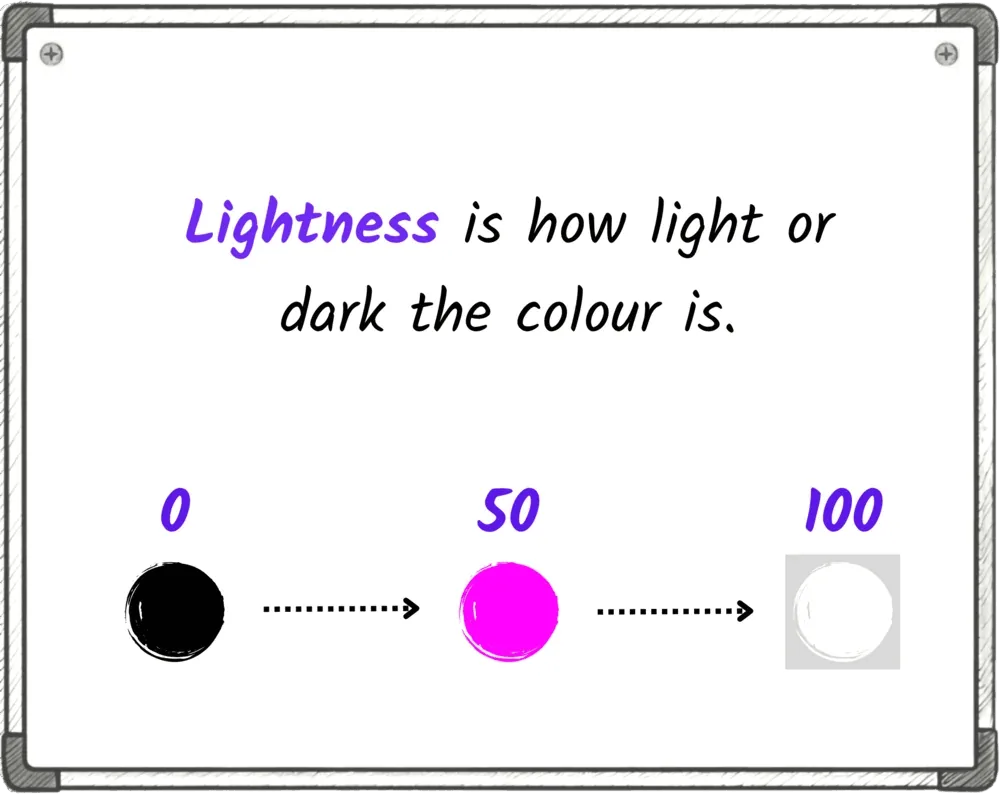
Hue is the shade of color that you want, and it goes from zero up to 360. Maybe imagine a rainbow. This is how I think about it. On the left, we have red, and then we have orange, yellow, green, blue, purple, and actually, we go all the way back to red. So if you say zero, you start on the left, and that is red. If you say 120, you're asking for green. 230 is blue. You can also think of this as a color wheel, which is what the 360 really is. It's the number of degrees in the circle. I always just look up the numbers I want, so don't worry too much about trying to memorize this, but it is nice to know what's going on. So that's hue, which is the shade. Next, we have saturation, which is how vivid the color is. It goes from zero to 100. At zero, you just get gray. There is no color, no tone in there at all. At 100, you get full, vivid, vibrant color. And then we have lightness. Lightness is how bright the color is, and that goes from zero to 100 as well. At zero, you get black. No matter what hue you've chosen, you get black. There's no light in it. And at 100, you get white. No matter anything else, it's just full of light, so it's white. 50 is right in the middle, the normal color. So you can think of this as a slider for making the color brighter or darker.
So if we want a normal red circle, which we'd have written as 255, zero, zero with RGB, all of the red, no green, no blue, here we would use zero, 100, 50. Zero for the red hue, 100 for saturation, full color, and 50 for brightness, which is a normal level of brightness. If we wanna make that a green circle, we can just change that hue to be 120. If we want to make it a darker green, we can reduce the lightness down to 25.
If we want to make it a duller green, we can take some of the color, some of the saturation out, say take that down to 30.
If you want a bright, hot pink, a hue of about 300 is pink, and then we up the saturation to 100 to make it really vivid, and we boost the lightness, too, to about 60.
let red = hsl(0, 100, 50)
let green = hsl(120, 100, 50)
let darkGreen = hsl(120, 100, 25)
let dullGreen = hsl(120, 30, 50)
let hotPink = hsl(300, 100, 60)
So we've got two different ways to express color, and they're useful in different situations. RGB is great when you want to adjust one specific component, how much red, how much green, how much blue. HSL is great when you want to cycle through colors. If you want a rainbow, you can just keep increasing the hue.
Ready to Start Your Coding Journey?
Join thousands of learners on Jiki. Practice coding exercises, get feedback from mentors, and level up your skills — it's free!
Sign Up For Free